
Better Cell Phone Photography
Transform everyday mobile snapshots into deliberate, polished photographs that look shot on a professional camera. Learn to master light, compose with depth, flatter your subjects, and edit with subtle restraint using the phone in your pocket.
Like Duolingo, but for Better Cell Phone Photography. Tomo turns the whole topic into a game you play five minutes a day, until it actually sticks.
A deep dive: 44 levels across 6 sections, about 88 minutes end to end, roughly 18 days at five minutes a day. It moves through Breaking the Snapshot Habit, Working with Natural and Tricky Light, Creating Dimension on a Flat Screen, Photographing Real-World Subjects, The Subtle Polish: Editing on Your Phone, and Mastering the Hardware in Your Pocket. It starts from scratch.
Free forever · No credit card · iPhone & Android
Key ideas in Better Cell Phone Photography
- Skin oils and pocket lint smudge the tiny phone camera glass every time it is handled
- A greasy phone lens scatters incoming light, creating foggy halos and streaks that photo software cannot clean up
- A quick wipe with soft fabric like a cotton shirt clears the oil immediately
- Tapping a point on the phone screen tells the camera software exactly what subject must be sharp
- The phone camera automatically meters the overall scene brightness to expose properly for that tapped spot
- Leaving the phone to guess often causes it to focus on a busy background instead of your subject
- Phones often overexpose slightly by default, which permanently erases detail in bright highlights into blank white
- Dragging down the small sun or slider icon next to your focus box pulls back highlight brightness
- Lowering exposure slightly deepens shadows and creates richer color saturation in the photo
- Pinching to zoom on a single lens phone does not use optical zoom; it simply crops the sensor image and blows up the pixels
- Digital zoom causes phone photos to look grainy, mushy, and pixelated
- Walking closer allows the phone camera to use its entire sensor area on the subject
- Holding a phone with straight arms turns your hands into long, trembling levers that blur photos in low light
- Tucking your elbows against your ribcage locks your upper body into a rigid, tripod-like frame
- Steadying your breathing and tapping the shutter smoothly prevents jerking the phone at the moment of capture
- Enabling the grid overlay in your phone's camera settings splits the preview into nine equal squares with four intersection points
You've tried the other tabs
Thirty open tabs. Four facts you actually kept.
You watched. You nodded. By Sunday it was gone.
One answer, then back to scrolling.
Eight weeks. You meant to finish. You didn't.
Tomo gives Better Cell Phone Photography the Duolingo treatment: levels, streaks, and quick quizzes that test what you just learned. That game loop is what the tabs above never had, so it's the one you actually finish.
Here's what playing it feels like
A real question from this course. Take your best guess.
You snap a photo at night, and lights have blurry, foggy streaks across the frame. What caused this lens flare?
Get it right to open this lesson and 43 more in the app.
Where Better Cell Phone Photography takes you
- 1
Breaking the Snapshot Habit
- The Zero-Cost First Steps
- Composing with Deliberate Intent
- 2
Working with Natural and Tricky Light
- Finding and Sculpting Soft Light
- Taming Direct Sun and High Contrast
- Low Light and Night Scenes
- 3
Creating Dimension on a Flat Screen
- Crafting Depth and Visual Layers
- Angles and Camera Heights
- Subject Separation and Portrait Mode
- 4
Photographing Real-World Subjects
- Flattering Everyday Portraits
- Food and Tabletop Details
- Travel, Street, and Architecture
- 5
The Subtle Polish: Editing on Your Phone
- The Essential Mobile Editing Workflow
- Avoiding the Amateur Editing Traps
- 6
Mastering the Hardware in Your Pocket
- Lenses, Settings, and Native Camera Controls
6 sections · 14 units · 44 levels. Built to play, not to enroll.
Tomo is in ChatGPT
Tomo is also a ChatGPT plugin: the same playable courses, built and played inside your chat.
Add Tomo to ChatGPT- What to ask
- “Make me a Tomo course on black holes.” “Turn this chat into a Tomo course.”
- What you get
- Quick questions with instant feedback, hearts and stars, ready to play in about a minute.
- Where it goes
- No sign-up to start. Connect your Tomo account and your streak carries on in the app.
You pick the voice
Better Cell Phone Photography is taught in the Bestie style: your friend who just gets it. Want a different feel? In the app you can spin up the same topic in any of Tomo's teaching styles. Same facts, totally different vibe.
More Arts on Tomo
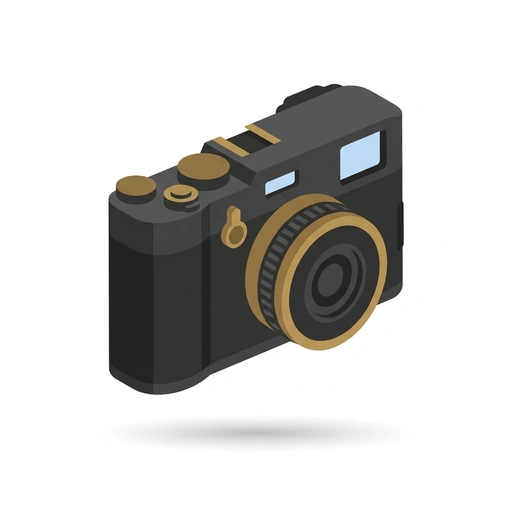
Photography with the Fujifilm X100
Master your X100VI and start seeing the world like a photographer. Learn to use film simulations, nail your focus, and capture the 'decisive moment' without getting lost in menus.
Photography: Taking Intentional Pictures
Move beyond accidental snapshots and start capturing images with deliberate purpose. Learn how composition, lighting, and camera settings work together so you can create striking photographs with any camera or smartphone. Build the eye and practical confidence to turn everyday scenes into compelling visual stories.
Better Everyday Photography
Transform casual snapshots into compelling, deliberate images using whatever camera you carry. Learn how to compose with intent, use natural light, and capture authentic moments with simple, practical adjustments.

Better Photos with Your iPhone
Transform everyday snapshots into striking photographs using the camera already in your pocket. Learn hands-on camera controls, clean framing habits, and quick native editing tricks.

Better Photos with Your Phone
Transform casual phone snapshots into striking, deliberate photographs. Learn how to tame lighting, control focus and exposure, and use your pocket camera's hidden strengths to capture scenes worth keeping.

iPhone Photography Beyond Auto
Transform your iPhone into a deliberate creative instrument by moving past automatic point-and-shoot habits. Master exposure overrides, optical compression, computational pipelines, and mobile raw processing to produce intentional, gallery-grade images in any environment.
Start Better Cell Phone Photography today.
Download Tomo, search Better Cell Phone Photography, and play your first lesson in under a minute.