
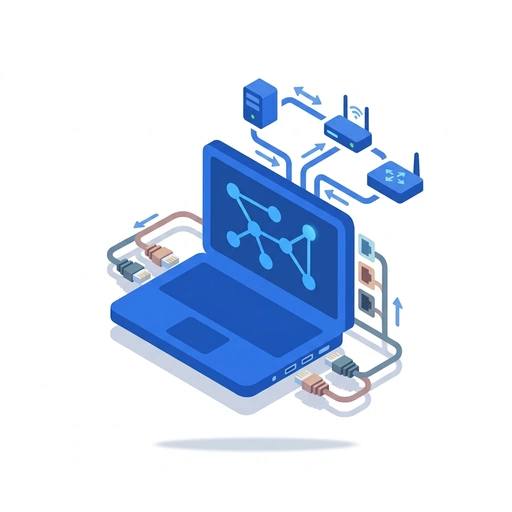
Build Your Own Home Lab
Like Duolingo, but for Build Your Own Home Lab. Tomo turns the whole topic into a game you play five minutes a day, until it actually sticks.
For the part of you with thirty open tabs that never became anything.
54 levels across 4 sections, about 108 minutes end to end, roughly 22 days at five minutes a day. It moves through Build Your Virtual Infrastructure, Control and Secure Your Traffic, Master Network Services, and Deep Dive into Protocol Science. It starts from scratch.
Free forever · No credit card · iPhone & Android

Key ideas in Build Your Own Home Lab
- Host-Only networking creates a private internal network
- NAT uses the host's IP for outbound traffic
- Choosing the right network mode for a specific security and connectivity goal
- Bridged networking exposes the VM to the external physical network
- Bridged mode requests its own IP from the local DHCP server
- Mapping virtual network modes to their real-world communication behavior
- Virtualization allows multiple isolated systems to run on one CPU
- Software-defined networking replaces physical cables and switches
- A Hypervisor (like VirtualBox or VMware) is required to manage VMs
- Sufficient RAM is needed to run multiple operating systems simultaneously
- Identifying the components needed to turn a laptop into a network lab
- NAT provides internet access while hiding the VM behind the host
- A Hypervisor is required to manage VMs
- Bridged mode makes the VM visible to the whole network
- Virtual machines must be assigned to the same virtual switch to communicate
- Virtual switches provide isolation between network segments
You've tried the other tabs
Thirty open tabs. Four facts you actually kept.
You watched. You nodded. By Sunday it was gone.
One answer, then back to scrolling.
Eight weeks. You meant to finish. You didn't.
Tomo gives Build Your Own Home Lab the Duolingo treatment: levels, streaks, and quick quizzes that test what you just learned. That game loop is what the tabs above never had, so it's the one you actually finish.
Here's what playing it feels like
A real question from this course. Take your best guess.
When using NAT mode, how does the virtual machine typically access the internet?
Get it right to open this lesson and 53 more in the app.
Where Build Your Own Home Lab takes you
Move beyond basic Wi-Fi and start building professional-grade networks on your laptop. Learn to architect virtual environments, secure traffic with firewalls, and master the protocols that power the global internet.
- 1
Build Your Virtual Infrastructure
- Architecting Your Virtual Network
- Connecting Machines with Virtual Switches
- Configuring Static IPs and Subnets
- Testing Connectivity with Ping and Traceroute
- 2
Control and Secure Your Traffic
- Setting Up a Virtual Router
- Writing Custom Firewall Rules
- Managing Ports and Services
- Creating Secure VPN Tunnels
- Monitoring Traffic with Packet Sniffers
- Detecting and Blocking Intrusions
- 3
Master Network Services
- Hosting Your Own DNS Server
- Automating Addresses with DHCP
- Setting Up Private File Servers
- 4
Deep Dive into Protocol Science
- The Anatomy of a TCP Packet
- How the 7-Layer Model Solves Problems
- The Logic of Routing Tables
- Transitioning from IPv4 to IPv6
- How Encryption Protects Data in Transit
4 sections · 18 units · 54 levels. Built to play, not to enroll.
You pick the voice
Build Your Own Home Lab is taught in the The Professor style: clear, structured, thorough. Want a different feel? In the app you can spin up the same topic in any of Tomo's teaching styles. Same facts, totally different vibe.
More Technology on Tomo
Mastering the Modern Network
Go beyond just connecting to Wi-Fi. Learn to troubleshoot your home setup, protect your personal data from hackers, and master the invisible systems that power the global internet.
Mastering Arch Linux and Python Workflows
Level up your Arch Linux skills by optimizing CachyOS for performance and building a seamless bridge between your system and Python development environments.
Inside the Machine: Mastering Computer Hardware and Networking
Go beyond basic setup to understand how modern hardware communicates and solves complex problems. Learn to diagnose deep-seated system issues and build robust local networks from the ground up.

The Digital Architect: From Pixels to Packets
Master the invisible systems that power our world. Move beyond basic usage to understand how data travels, how users think, and how complex software stays standing under pressure.

ServiceNow: Building Better Workflows
Move beyond basic data entry and start designing intelligent, automated solutions. Learn to balance client-side responsiveness with robust server-side logic to create a seamless enterprise experience.
AI Native Engineering
Build professional software from scratch using AI agents, even if you've never written a line of code. Learn to think like an architect and use the machine as your master craftsman.
Start Build Your Own Home Lab today.
Download Tomo, search Build Your Own Home Lab, and play your first lesson in under a minute.