
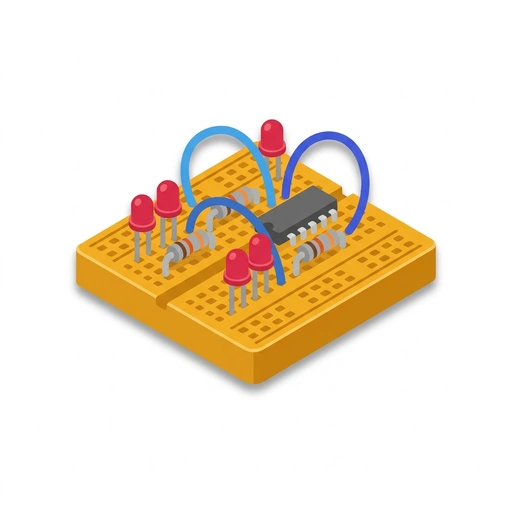
Building Electronic Gadgets
Discover how electricity works by wiring up tangible, interactive creations. Learn to combine lights, motors, sensors, and sound into working gadgets from scratch.
Like Duolingo, but for Building Electronic Gadgets. Tomo turns the whole topic into a game you play five minutes a day, until it actually sticks.
21 levels across 4 sections, about 42 minutes end to end, roughly 8 days at five minutes a day. It moves through Making Circuits Come Alive, Sensing and Automatic Reaction, Powering and Debugging Your Builds, and The Invisible Forces Behind the Hardware. It starts from scratch.
Free forever · No credit card · iPhone & Android

Key ideas in Building Electronic Gadgets
- Breadboard holes are grouped internally by hidden metal spring clips
- Short numbered rows share connections across five holes horizontally
- Long outer side rails carry continuous positive and ground lines down the board
- LEDs only let current flow in one specific direction (longer leg to positive)
- Without a resistor to restrict current, an LED pulls too much power and burns out instantly
- A resistor can sit before or after the LED along the same path
- Current cannot flow into a component without an unbroken return path to ground
- A break anywhere in a single circuit loop immediately shuts down current through the entire path
- Electricity does not 'pool' inside components waiting for an exit
- A mechanical switch works by physically touching two metal contacts together
- Releasing the switch pulls the contacts apart, leaving an air gap that cuts current
- Switches do not consume or alter power; they merely open or close the path
- Piezo buzzers physically bend and snap back in response to voltage changes
- A steady, unmoving DC voltage only creates a single faint click, not a tone
- A rapid, pulsing electrical signal makes the piezo flex back and forth to create sound waves
- DC motors spin all the way around continuously as long as power is applied
You've tried the other tabs
Thirty open tabs. Four facts you actually kept.
You watched. You nodded. By Sunday it was gone.
One answer, then back to scrolling.
Eight weeks. You meant to finish. You didn't.
Tomo gives Building Electronic Gadgets the Duolingo treatment: levels, streaks, and quick quizzes that test what you just learned. That game loop is what the tabs above never had, so it's the one you actually finish.
Here's what playing it feels like
A real question from this course. Take your best guess.
How many holes share a connection across one short numbered row?
Get it right to open this lesson and 20 more in the app.
Where Building Electronic Gadgets takes you
- 1
Making Circuits Come Alive
- Wiring Lights and Sound on a Breadboard
- Adding Motion with Motors and Servos
- 2
Sensing and Automatic Reaction
- Building Sensors that React to the World
- Simple Decision-Making Without Computers
- 3
Powering and Debugging Your Builds
- Powering Portable Inventions
- Finding Faults with a Multimeter
- 4
The Invisible Forces Behind the Hardware
- Working with Voltage, Current, and Resistance
4 sections · 7 units · 21 levels. Built to play, not to enroll.
You pick the voice
Building Electronic Gadgets is taught in the Explain Like I'm 5 style: no big words. promise.. Want a different feel? In the app you can spin up the same topic in any of Tomo's teaching styles. Same facts, totally different vibe.
More Technology on Tomo
Electronics and Coding with Raspberry Pi
Stop just reading about circuits and start building them. Learn to control the physical world with code, from blinking your first light to designing smart home gadgets.
Hands-On Electronics
Demystify how everyday gadgets work by building and understanding circuits from the ground up. Learn to direct electrical currents, wire components safely, and read circuit behaviors.
How Electric Circuits Work
Learn how electricity moves through everyday devices and gain the confidence to build your own circuits. From breadboarding components to debugging with a multimeter, discover the practical rules that bring hardware to life.

How Electrical Circuits Work
Demystify electricity by building, measuring, and troubleshooting real circuits. Learn how voltage, current, and resistance interact to power everyday devices safely.
Mastering the Flow: Practical Electronics
Move beyond simple batteries and bulbs to design circuits that solve real problems. Master the math of power, troubleshoot like a pro, and understand how modern gadgets actually think.
Building Working Circuits
Bridge the gap between textbook schematics and hardware that actually turns on and runs reliably. Learn to select the right components, tame noise and power drops, and diagnose real circuits on the bench.
Start Building Electronic Gadgets today.
Download Tomo, search Building Electronic Gadgets, and play your first lesson in under a minute.