
iPhone Efficiency and Power Habits
Move beyond the basics and transform your iPhone into a high-performance tool. Learn to automate repetitive tasks, master hidden navigation gestures, and secure your digital life with professional-grade settings.
Like Duolingo, but for iPhone Efficiency and Power Habits. Tomo turns the whole topic into a game you play five minutes a day, until it actually sticks.
21 levels across 4 sections, about 42 minutes end to end, roughly 8 days at five minutes a day. It moves through Speed and Navigation, Workflow and Automation, Media and Privacy, and System Health. It assumes you already know the basics.
Free forever · No credit card · iPhone & Android

Key ideas in iPhone Efficiency and Power Habits
- Swiping down on the Home Screen opens the Spotlight search bar
- A long-press on the spacebar blanks the keys and enables cursor drift
- Spotlight performs live currency and unit conversions as you type
- The trackpad mode allows for character-perfect placement in text blocks
- Spotlight can search for specific data inside apps like Notes or Mail
- Lifting your finger locks the cursor into its new position
- Using Spotlight as a utility tool rather than just an app launcher
- Activating the hidden trackpad mode for text editing
- Back Tap is located in the Accessibility menu under Touch settings
- Swiping down on the bottom edge of the screen triggers Reachability
- The iPhone uses the accelerometer to detect taps on the back glass
- Reachability shifts the entire UI halfway down the display
- Users can assign different system tasks to double versus triple taps
- Tapping the empty space at the top returns the screen to full view
- Configuring and using Back Tap for accessibility shortcuts
- Haptic Touch on the Camera icon lets you jump straight to 'Take Selfie'
You've tried the other tabs
Thirty open tabs. Four facts you actually kept.
You watched. You nodded. By Sunday it was gone.
One answer, then back to scrolling.
Eight weeks. You meant to finish. You didn't.
Tomo gives iPhone Efficiency and Power Habits the Duolingo treatment: levels, streaks, and quick quizzes that test what you just learned. That game loop is what the tabs above never had, so it's the one you actually finish.
Here's what playing it feels like
A real question from this course. Take your best guess.
Imagine you need to find a lost file instantly. What gesture summons the Spotlight search bar from your Home Screen?
Get it right to open this lesson and 20 more in the app.
Where iPhone Efficiency and Power Habits takes you
- 1
Speed and Navigation
- Navigating with Precision
- Text Input and Selection Mastery
- 2
Workflow and Automation
- Focus Modes and Contextual Screens
- Shortcuts and System Automation
- 3
Media and Privacy
- Advanced Media Management
- Privacy and Security Hardening
- 4
System Health
- Battery and Storage Optimization
4 sections · 7 units · 21 levels. Built to play, not to enroll.
You pick the voice
iPhone Efficiency and Power Habits is taught in the The Storyteller style: every lesson is a story. Want a different feel? In the app you can spin up the same topic in any of Tomo's teaching styles. Same facts, totally different vibe.
More Technology on Tomo

iPadOS for Personal Life
Go beyond the basics of your iPad to master the settings, features, and apps that turn it into the ultimate personal companion for entertainment, communication, and daily organization.
iPhone Efficiency Hacks
Transform your iPhone from a distraction into a high-performance tool. Learn the hidden gestures, automation secrets, and organizational tricks that save you hours every week.

Everyday iPhone 17e
Get comfortable with the modern features of your iPhone 17e. Master intuitive gestures, smart camera tools, everyday intelligence, and essential battery care.
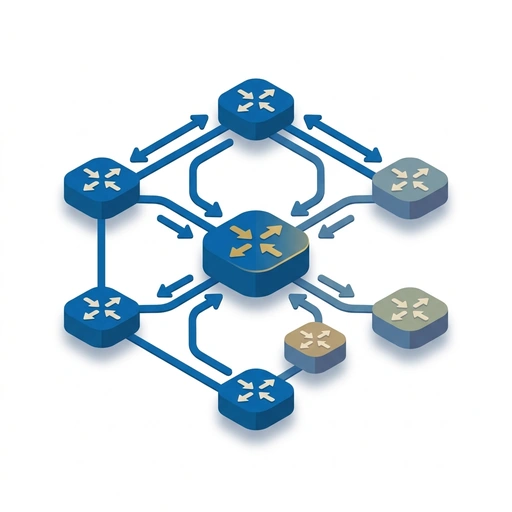
Cisco Enterprise Networking
Bridge the gap between CCNA and CCNP by mastering high-availability switching, complex routing architectures, and automated infrastructure management.

Database Management for Scale
Master the architectural decisions and performance tuning required to manage production-grade databases. Learn to optimize queries, handle high-concurrency transactions, and design for global scalability.

AI-Native Software Engineering
Transition from using AI as a chatbot to integrating it as a core architectural component. This course covers advanced agentic workflows, automated evaluation loops, and the shift toward non-deterministic system design.
Start iPhone Efficiency and Power Habits today.
Download Tomo, search iPhone Efficiency and Power Habits, and play your first lesson in under a minute.