
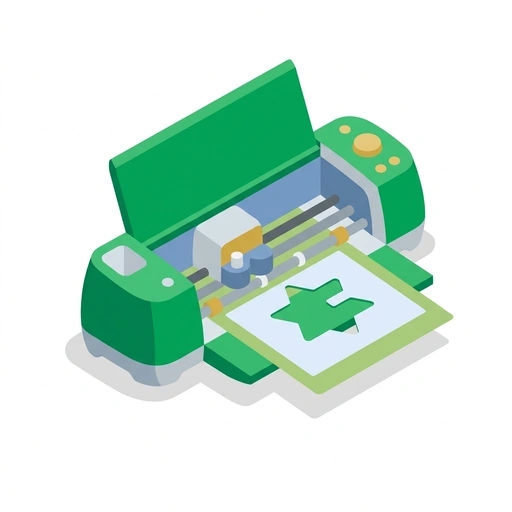
Cricut Explore 4: From Box to Build
Unlock the power of your cutting machine to create custom stickers, home decor, and personalized gifts. This course takes you from your very first cut to mastering complex multi-layered projects.
Like Duolingo, but for Cricut Explore 4: From Box to Build. Tomo turns the whole topic into a game you play five minutes a day, until it actually sticks.
21 levels across 4 sections, about 42 minutes end to end, roughly 8 days at five minutes a day. It moves through Your First Cut, Mastering the Essentials, Advanced Techniques, and Maintenance and Troubleshooting. It starts from scratch.
Free forever · No credit card · iPhone & Android
Key ideas in Cricut Explore 4: From Box to Build
- The 'Make It' button triggers the transition from Design Space to the cut preview
- The mat's adhesive surface holds the material flat and stationary
- Clicking 'Make It' is the specific action that tells the software to prepare the layout for the machine
- Without the mat, the blade's pressure would push the material out of alignment
- The role of the 'Make It' button in the workflow
- The purpose of the sticky mat during the cutting process
- The mat must be physically tucked under the guides before the rollers can grab it
- The Load button (arrow icon) is only pressed after the mat is in position
- Weeding involves removing the 'negative' or scrap pieces from the backing
- The physical sequence for loading the mat into the machine
- The final design remains on the backing while the excess is discarded
- Transfer tape lifts the design off the backing as a single unit
- Transfer tape maintains the relative position of different parts of a design during the move
- Defining the post-cut cleanup process
- The function of transfer tape in moving a design
- Adhesive vinyl has a sticky backing meant for hard, smooth surfaces
You've tried the other tabs
Thirty open tabs. Four facts you actually kept.
You watched. You nodded. By Sunday it was gone.
One answer, then back to scrolling.
Eight weeks. You meant to finish. You didn't.
Tomo gives Cricut Explore 4: From Box to Build the Duolingo treatment: levels, streaks, and quick quizzes that test what you just learned. That game loop is what the tabs above never had, so it's the one you actually finish.
Here's what playing it feels like
A real question from this course. Take your best guess.
You've finished your drawing on the screen! What happens right after you click the 'Make It' button?
Get it right to open this lesson and 20 more in the app.
Where Cricut Explore 4: From Box to Build takes you
- 1
Your First Cut
- The Quick Win: Making a Sticker
- 2
Mastering the Essentials
- Choosing the Right Material
- Design Space Logic
- Precision Tools and Blades
- 3
Advanced Techniques
- Multi-Layer Projects
- Print Then Cut Mastery
- 4
Maintenance and Troubleshooting
- Keeping the Machine Happy
4 sections · 7 units · 21 levels. Built to play, not to enroll.
You pick the voice
Cricut Explore 4: From Box to Build is taught in the Explain Like I'm 5 style: no big words. promise.. Want a different feel? In the app you can spin up the same topic in any of Tomo's teaching styles. Same facts, totally different vibe.
More Arts on Tomo
Macramé: The Art of Knots
Transform simple cord into stunning home decor. Learn the essential knots and patterns to create wall hangings, plant hangers, and more.
Advanced Derby Shoe Design
Master the technical nuances of the Derby silhouette, from precision pattern engineering to the biomechanics of open-lacing systems.

Fashion Design: From Sketch to Stitch
Learn to translate your creative visions into wearable art. This course covers everything from the fundamentals of fashion sketching to the structural logic of garment construction.
Left-Handed Crochet
Learn to crochet naturally using your dominant left hand without reversing tutorials in your head. Master hand positioning, smooth foundation rows, and simple pattern translation.
Wood Turning: The First Spin
Transform a raw block of wood into a polished object. Learn the essential physics of the lathe and the 'ABC' of tool control to start turning safely and confidently.

Fabric Arts: Structure and Style
Move beyond basic stitches to understand the engineering and chemistry of textiles. Learn to manipulate drape, reinforce structures, and hack patterns for professional results.
Start Cricut Explore 4: From Box to Build today.
Download Tomo, search Cricut Explore 4: From Box to Build, and play your first lesson in under a minute.