
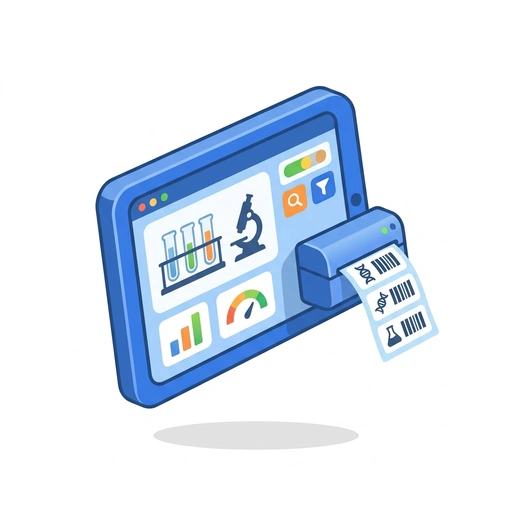
Build Your Own Lab Sample Tracker
Stop losing track of samples and start building. Learn to create a professional lab app that prints barcodes, filters data instantly, and uses AI to find exactly what you need.
Like Duolingo, but for Build Your Own Lab Sample Tracker. Tomo turns the whole topic into a game you play five minutes a day, until it actually sticks.
170 levels across 8 sections, about 340 minutes end to end, roughly 68 days at five minutes a day. It moves through Get Your First App Running, Make Data Easy to Find, Mastering Labels and Barcodes, Build a Dashboard That Updates Itself, Using AI to Work Faster, Handling Real-World Lab Scenarios, Polishing the User Experience, and The Tech Behind the Scenes. It starts from scratch.
Free forever · No credit card · iPhone & Android
Key ideas in Build Your Own Lab Sample Tracker
- Power Apps connects to tables, not just raw cell ranges
- Power Apps writes back to the data source in real-time
- Data must be formatted as an official Excel Table
- The spreadsheet and app stay synchronized automatically
- Connection starts with a connector
- Apps prevent accidental deletion of formulas or columns
- Navigation goes from Provider -> File -> Table
- Apps provide a mobile-friendly interface for scanning or quick updates
- Understanding the 'Single Source of Truth' concept
- The process of connecting a cloud-stored spreadsheet
- Advantages of an app interface over a raw spreadsheet for lab work
- Power Apps looks for columns containing text or titles
- A row represents one specific sample (record)
- The app attempts to identify 'Primary' descriptive fields automatically
- Mapping spreadsheet concepts to app concepts
- A column represents a category of info (field)
You've tried the other tabs
Thirty open tabs. Four facts you actually kept.
You watched. You nodded. By Sunday it was gone.
One answer, then back to scrolling.
Eight weeks. You meant to finish. You didn't.
Tomo gives Build Your Own Lab Sample Tracker the Duolingo treatment: levels, streaks, and quick quizzes that test what you just learned. That game loop is what the tabs above never had, so it's the one you actually finish.
Here's what playing it feels like
A real question from this course. Take your best guess.
You've got your lab samples listed in a spreadsheet, but Power Apps can't find them. What's the most likely reason?
Get it right to open this lesson and 169 more in the app.
Where Build Your Own Lab Sample Tracker takes you
- 1
Get Your First App Running
- Turning your spreadsheet into an app
- Adding a button to change sample status
- Seeing your list on a mobile screen
- Saving your first test record
- 2
Make Data Easy to Find
- Building a search bar that actually works
- Creating quick-tap filters for 'Pending' or 'Complete'
- Highlighting samples that were already entered
- Sorting your list by date or priority
- Adding a 'Clear All Filters' shortcut
- 3
Mastering Labels and Barcodes
- Designing a sticker template in your app
- Generating barcodes from sample IDs
- Sending data to a sticker sheet printer
- 4
Build a Dashboard That Updates Itself
- Showing total sample counts at a glance
- Creating a 'Work-in-Progress' progress bar
- Making charts that change when you filter
- Setting up alerts for urgent samples
- 5
Using AI to Work Faster
- Asking questions about your data in plain English
- Letting AI find trends in your sample results
- Using the camera to scan barcodes into the app
- Predicting bottlenecks in the lab
- Cleaning up messy data entries automatically
- Summarizing daily lab activity with one click
- 6
Handling Real-World Lab Scenarios
- What to do when two people edit the same sample
- Tracking who changed a status and when
- Adding a 'Bulk Update' feature for many samples
- 7
Polishing the User Experience
- Changing colors based on sample urgency
- Adding pop-up confirmations before deleting
- Making the app look great on tablets and phones
- Creating a 'Dark Mode' for night shifts
- Adding your lab's logo and branding
- 8
The Tech Behind the Scenes
- How Power Apps talks to your database
- Understanding variables and simple formulas
- Managing permissions and app security
- Sharing your app with the whole team
8 sections · 34 units · 170 levels. Built to play, not to enroll.
Tomo is in ChatGPT
Tomo is also a ChatGPT plugin: the same playable courses, built and played inside your chat.
Add Tomo to ChatGPT- What to ask
- “Make me a Tomo course on black holes.” “Turn this chat into a Tomo course.”
- What you get
- Quick questions with instant feedback, hearts and stars, ready to play in about a minute.
- Where it goes
- No sign-up to start. Connect your Tomo account and your streak carries on in the app.
You pick the voice
Build Your Own Lab Sample Tracker is taught in the Bestie style: your friend who just gets it. Want a different feel? In the app you can spin up the same topic in any of Tomo's teaching styles. Same facts, totally different vibe.
More Technology on Tomo
Python: Building Real-World Tools
Move beyond basic syntax to build functional applications. Learn to automate your life, manage complex data, and create software that people actually use.
Mastering the Magic of Spreadsheets
Stop fighting with rows and columns and start making them work for you. Learn to organize your life, automate your math, and turn messy data into clear answers in minutes.

Data Science for Real People
Stop staring at spreadsheets and start telling stories with data. Learn to solve real-world problems using Python, SQL, and visual tools while mastering the art of the data-driven decision.
Build Your Own Point-and-Click Adventure
Stop dreaming about your game and start building it. Learn to create interactive worlds, quirky characters, and mind-bending puzzles using the engine behind famous indie hits.
Mastering Maps with QGIS
Stop just looking at maps and start building them. Learn to track weather patterns, analyze local changes, and solve real-world problems using the world's most powerful free mapping tool.
Python Programming for Beginners
Stop reading about code and start writing it. Build your first programs immediately and learn how to think like a developer to solve real-world problems.
Start Build Your Own Lab Sample Tracker today.
Download Tomo, search Build Your Own Lab Sample Tracker, and play your first lesson in under a minute.