
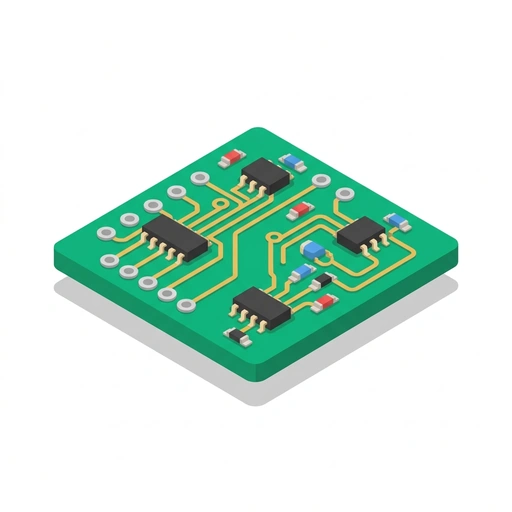
Designing Your First PCB
Turn your breadboard sketches into clean, manufacturable printed circuit boards. Learn schematic capture, trace routing, ground planes, and production file generation.
Like Duolingo, but for Designing Your First PCB. Tomo turns the whole topic into a game you play five minutes a day, until it actually sticks.
A short one: 12 levels across 2 sections, about 24 minutes end to end, roughly 5 days at five minutes a day. It moves through From Circuit Sketch to Board Layout and Preparing for Manufacturing. It starts from scratch.
Free forever · No credit card · iPhone & Android

Key ideas in Designing Your First PCB
- A schematic shows electrical connections logically, not physical placement
- Physical placement of parts happens later during board layout
- Schematic symbols are arranged for readability rather than real-world positioning
- Net labels assign a shared name to wires or pins to create an electrical link without drawing a visible line
- Any pins sharing the exact same net label name are treated by the software as physically wired together
- Net labels reduce visual clutter across complex multi-part schematics
- A schematic symbol represents logical function, while a footprint defines physical copper pads and hole spacing
- A single schematic symbol (like a resistor) can correspond to many different physical footprint sizes
- If the assigned footprint does not match the physical component's dimensions, the part will not fit the fabricated board
- Decoupling capacitors act as tiny local energy reserves that smooth out voltage dips
- They connect between a chip's power pin and ground
- Electrical Rule Checks (ERC) verify electrical continuity and logic, such as short circuits and unconnected pins
- ERC catches unpowered IC rails and floating inputs before layout begins
- ERC checks schematic wiring logic, not physical mechanical dimensions or aesthetic orientation
- Unrouted connections appear in layout software as thin guide lines (the rat's nest) between pins
- Rotating a part or nudging related chips closer together physically untangles those lines before drawing any copper
You've tried the other tabs
Thirty open tabs. Four facts you actually kept.
You watched. You nodded. By Sunday it was gone.
One answer, then back to scrolling.
Eight weeks. You meant to finish. You didn't.
Tomo gives Designing Your First PCB the Duolingo treatment: levels, streaks, and quick quizzes that test what you just learned. That game loop is what the tabs above never had, so it's the one you actually finish.
Here's what playing it feels like
A real question from this course. Take your best guess.
When do you actually decide where each physical part sits on the circuit board?
Get it right to open this lesson and 11 more in the app.
How to learn Designing Your First PCB, step by step
Go in order. 12 short levels across 2 sections, about 24 minutes in all, five minutes a day.
- 1
From Circuit Sketch to Board Layout
- Schematic Capture: Defining the Circuit
- Component Placement and Trace Routing
- 2
Preparing for Manufacturing
- Power Planes and Heat Management
- Design Verification and Factory Files
2 sections · 4 units · 12 levels. Built to play, not to enroll.
Questions about Designing Your First PCB
How do I learn Designing Your First PCB?
Go in order: start with From Circuit Sketch to Board Layout, then Preparing for Manufacturing. On Tomo that's 12 short levels, about 24 minutes in all, played five minutes a day. Start free and play the first level in under a minute.
Is there a Duolingo-style app for Designing Your First PCB?
Yes. Tomo works like Duolingo: short daily lessons, streaks and quick quizzes. Designing Your First PCB is one of its free courses, and you can type any other topic to get a course of your own.
Is the Designing Your First PCB course free?
Yes. Designing Your First PCB is playable on Tomo's free plan, which doesn't expire. No credit card, no waitlist. Download the app and start your first lesson.
How long does it take to learn Designing Your First PCB?
12 levels across 2 sections, about 24 minutes of play in total. It's built for five minutes a day, so you finish it a little at a time instead of all at once.
Do I need any background to start Designing Your First PCB?
No. It's pitched at a beginner level, so it starts where you are and builds up. If you can tap a phone, you can start.
Tomo is in ChatGPT
Tomo is also a ChatGPT plugin: the same playable courses, built and played inside your chat.
Add Tomo to ChatGPT- What to ask
- “Make me a Tomo course on black holes.” “Turn this chat into a Tomo course.”
- What you get
- Quick questions with instant feedback, hearts and stars, ready to play in about a minute.
- Where it goes
- No sign-up to start. Connect your Tomo account and your streak carries on in the app.
You pick the voice
Designing Your First PCB is taught in the Bestie style: your friend who just gets it. Want a different feel? In the app you can spin up the same topic in any of Tomo's teaching styles. Same facts, totally different vibe.
More Technology on Tomo
Designing Your Own PCBs
Turn your breadboard sketches into professional, custom circuit boards. Learn how to draw schematics, route traces, and prepare clean manufacturing files for the factory.
How Circuits Work
Understand the unseen flow of electricity by building real, working circuits. Learn to light components, route power on a breadboard, and automate behavior with switches and transistors.
Circuit Design for Arduino
Bridge the gap between microcontroller code and reliable hardware. Learn how to drive high-power loads, clean up noisy sensor readings, stabilize power delivery, and protect components from catastrophic damage.

Build Your First Smart Gadget
Stop just looking at gadgets and start building them. Learn how to control electricity with code and sensors to create your own interactive inventions.
Practical Circuit Design
Move beyond basic breadboard recipes to design reliable, real-world circuits. Learn to drive high-power loads, shape signals with op-amps, clean up noisy power rails, and debug circuits with confidence.
Ohm's Law in Circuit Design
Bridge the gap between textbook formulas and reliable hardware. Learn how professional engineers apply Ohm's law to size real loads, account for parasitic resistance, troubleshoot ground drops, and manage thermal limits.
Start Designing Your First PCB today.
Download Tomo, search Designing Your First PCB, and play your first lesson in under a minute.