
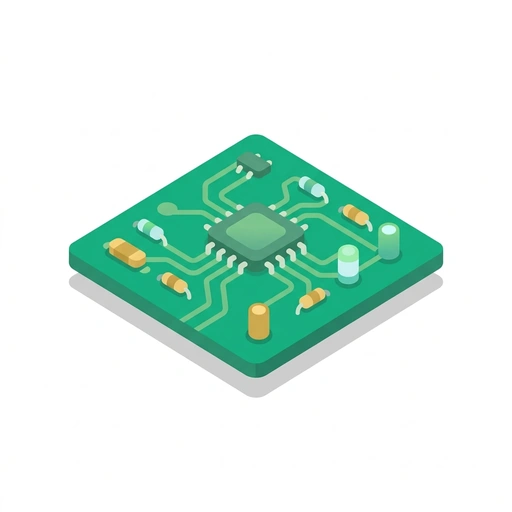
Designing PCB Circuits
Crack open the mystery of printed circuit boards and learn how modern electronics are wired. Go from reading the green boards inside your gadgets to routing custom copper traces and preparing your very own board for production.
Like Duolingo, but for Designing PCB Circuits. Tomo turns the whole topic into a game you play five minutes a day, until it actually sticks.
A short one: 10 levels across 2 sections, about 20 minutes end to end, roughly 4 days at five minutes a day. It moves through Decoding and Routing the Board and Parts, Layout, and Fabrication. It starts from scratch.
Free forever · No credit card · iPhone & Android

Key ideas in Designing PCB Circuits
- A PCB uses a rigid, non-conductive core (typically fiberglass) as an insulating base
- Flat copper tracks laminated onto the board replace loose, tangled wire bundles
- This sandwich structure keeps electrical connections permanently fixed in place and compact
- Copper traces act just like flattened wires on the board surface
- A wider trace provides a larger conductive pathway and carries more electrical current safely
- Forcing high current through an overly narrow trace causes it to heat up and potentially burn out
- Solder mask is the colored outer coating (often green, black, or blue) that blankets the PCB's surface
- Molten solder cannot adhere to the cured solder mask; it only sticks to exposed metal pads
- This protective barrier prevents unintended solder bridges from shorting out nearby copper lines during assembly
- Silkscreen is the printed ink layer (usually white) showing component outlines and reference designators
- Silkscreen marks component orientation and polarity (+ and -) so parts aren't installed backwards
- Silkscreen ink is purely informational and non-conductive; it does not carry electrical signals
- Vias are miniature drilled holes lined or plated with conductive copper
- A via acts as an internal vertical tunnel connecting traces on different layers of the board
- Using vias lets complex circuits route lines under or over one another without colliding on a single surface
- A schematic only captures logical connections and functional relationships between components
You've tried the other tabs
Thirty open tabs. Four facts you actually kept.
You watched. You nodded. By Sunday it was gone.
One answer, then back to scrolling.
Eight weeks. You meant to finish. You didn't.
Tomo gives Designing PCB Circuits the Duolingo treatment: levels, streaks, and quick quizzes that test what you just learned. That game loop is what the tabs above never had, so it's the one you actually finish.
Here's what playing it feels like
A real question from this course. Take your best guess.
What replaces messy bundles of loose wires on a printed circuit board?
Get it right to open this lesson and 9 more in the app.
How to learn Designing PCB Circuits, step by step
Go in order. 10 short levels across 2 sections, about 20 minutes in all, five minutes a day.
- 1
Decoding and Routing the Board
- Reading the Anatomy of a Board
- Routing the Copper Maze
- 2
Parts, Layout, and Fabrication
- Placing Parts and Footprints
- From Screen to Physical Hardware
2 sections · 4 units · 10 levels. Built to play, not to enroll.
Questions about Designing PCB Circuits
How do I learn Designing PCB Circuits?
Go in order: start with Decoding and Routing the Board, then Parts, Layout, and Fabrication. On Tomo that's 10 short levels, about 20 minutes in all, played five minutes a day. Start free and play the first level in under a minute.
Is there a Duolingo-style app for Designing PCB Circuits?
Yes. Tomo works like Duolingo: short daily lessons, streaks and quick quizzes. Designing PCB Circuits is one of its free courses, and you can type any other topic to get a course of your own.
Is the Designing PCB Circuits course free?
Yes. Designing PCB Circuits is playable on Tomo's free plan, which doesn't expire. No credit card, no waitlist. Download the app and start your first lesson.
How long does it take to learn Designing PCB Circuits?
10 levels across 2 sections, about 20 minutes of play in total. It's built for five minutes a day, so you finish it a little at a time instead of all at once.
Do I need any background to start Designing PCB Circuits?
No. It's pitched at a beginner level, so it starts where you are and builds up. If you can tap a phone, you can start.
Tomo is in ChatGPT
Tomo is also a ChatGPT plugin: the same playable courses, built and played inside your chat.
Add Tomo to ChatGPT- What to ask
- “Make me a Tomo course on black holes.” “Turn this chat into a Tomo course.”
- What you get
- Quick questions with instant feedback, hearts and stars, ready to play in about a minute.
- Where it goes
- No sign-up to start. Connect your Tomo account and your streak carries on in the app.
You pick the voice
Designing PCB Circuits is taught in the Bestie style: your friend who just gets it. Want a different feel? In the app you can spin up the same topic in any of Tomo's teaching styles. Same facts, totally different vibe.
More Technology on Tomo
Designing Your Own PCBs
Turn your breadboard sketches into professional, custom circuit boards. Learn how to draw schematics, route traces, and prepare clean manufacturing files for the factory.
Designing Your First PCB
Turn your breadboard sketches into clean, manufacturable printed circuit boards. Learn schematic capture, trace routing, ground planes, and production file generation.
Reading and Troubleshooting Circuits
Move beyond basic voltage checks to diagnose household and workshop electrical systems with confidence. Learn how split-phase panels balance loads, how to safely trace tricky faults with a multimeter, and why grounding and bonding rules protect lives.
Tape Measure Fluency
Stop counting tiny tick marks and start reading, calling, and laying out dimensions like a seasoned jobsite pro. Learn real trade callouts, hook mechanics, stud markings, and precision layout habits.
Reading a Tape Measure
Unlock every mark on the tape with total confidence. Learn how to decode fractions at a glance, master the hidden mechanics of the hook, and use framing marks like a seasoned pro.
Reading the Tape for Low-Voltage Installs
Crack the code of tape measure lines, master field fraction math, and lay out low-voltage brackets and cable runs with professional accuracy.
Start Designing PCB Circuits today.
Download Tomo, search Designing PCB Circuits, and play your first lesson in under a minute.